
FlipGrid
Looking for a way to make classroom participation more interactive? Flipgrid is a video-based learning platform that helps teachers and students to easily communicate, share ideas, and take part in discussions. Instead of relying only on written answers, students can now record short videos, respond to questions, and also learn from their classmates.
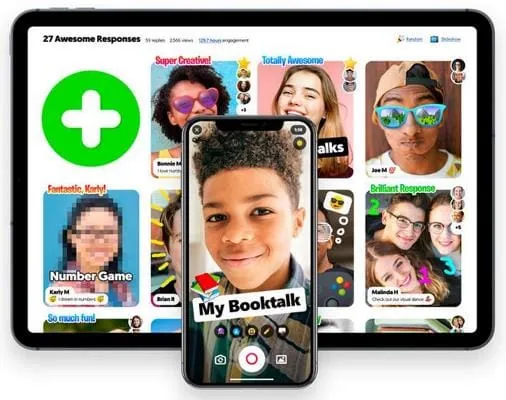
What is Flipgrid?
Flipgrid is a video discussion platform that was originally developed by a team at the University of Minnesota. Later, Microsoft acquired it in 2018 and brought its video-based classroom activities to a wider audience of educators.
The idea behind Flipgrid was simple: Teachers could create discussion topics, invite students to share their thoughts, and build a space where everyone has an opportunity to contribute. Moreover, you can download its app on your computer, tablet, smartphone, or access it through the online web version. And the best part is that Flipgrid also has creative tools to customize videos and make it easier for students to explain ideas in their own words.
What Happened to Flipgrid?
After Microsoft acquired it, Flipgrid was rebranded as Flip with a vision of making it a better platform for communication and learning. In 2024, Microsoft discontinued the standalone Flip version, which means that educators could no longer use the official Flipgrid website and application.
Instead of completely removing it, Microsoft added Flip to its education ecosystem and positioned it as a separate product known as Microsoft Teams for Education. Although it was considered the upgraded version of Flipgrid, but some features, tools, and recording options were not available as expected.
Key Features
Video Responses
Video responses are at the heart of Flipgrid. Teachers post a question, and students record a video response instead of only submitting text answers. This format works well for oral presentations, language exercises, demonstrations, and personal reflections.
Grids and Topics
Grids allow teachers to organize discussions for different classes, groups, or projects. Within each Grid, Topics give students a specific question or task to answer. This structure makes it easier to manage several activities without mixing responses from unrelated lessons.
Creative Recording Tools
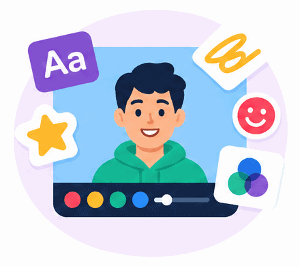
Flipgrid also offers tools that let students personalize their video recordings. You can easily add text, drawings, stickers, filters, and other visual elements. These tools help them to highlight important points and make presentations more engaging.
Video Replies and Peer Interaction
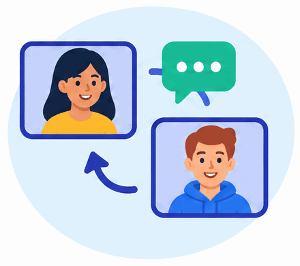
With this platform, students can also learn from other classmates’ recordings and responses when enabled. Now, class discussions can continue beyond the first set of answers, allowing students to compare ideas, ask questions, and consider different point of view.
Teacher Moderation
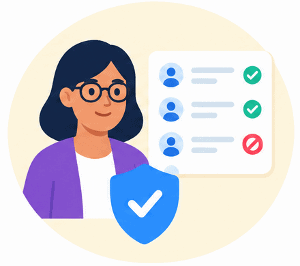
Teachers can now manage discussion settings and review students’ contributions to support a suitable classroom environment. Moderation was particularly important when activities involved younger students or sensitive topics.
Access Across Devices
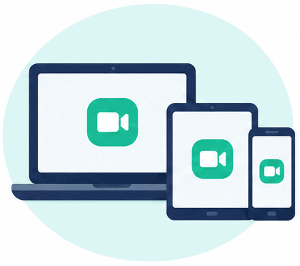
Flipgrid supports participation from different types of devices, such as computers, tablets, and mobile devices. This helps students to record responses outside computer labs or classrooms, wherever they feel comfortable.
FlipGrid for Teachers

Teachers can use Flipgrid to encourage participation and make classroom activities more interactive. A short video prompt could become a starting point for a lesson, a way to check understanding, or an opportunity for students to explain what they have learned.
Classroom discussions: Teachers can post open-ended questions and ask students to share their opinions or connect a lesson to their own experiences. This helps in bringing different perspectives into the same discussion.
Assignments and presentations: Using Flipgrid, students can present a project, demonstrate a process, or explain the steps involved in solving a problem. After that, teachers could review the recordings and provide feedback without requiring every student to present live in front of them.
Reading and storytelling: A teacher might ask students to summarize a chapter, describe a character, or read a passage aloud. These activities combine comprehension with speaking practice.
Daily check-ins and reflections: Teachers can use students’ responses to know how they are feeling about a lesson, what they have learned, which topics need further explanation, or who needs help with a difficult concept.
Peer feedback and collaboration: Teachers can organize activities in which students review presentations, compare approaches, or respond to each other’s work. These discussions encourage students to listen carefully and explain their feedback constructively.
FlipGrid for Students
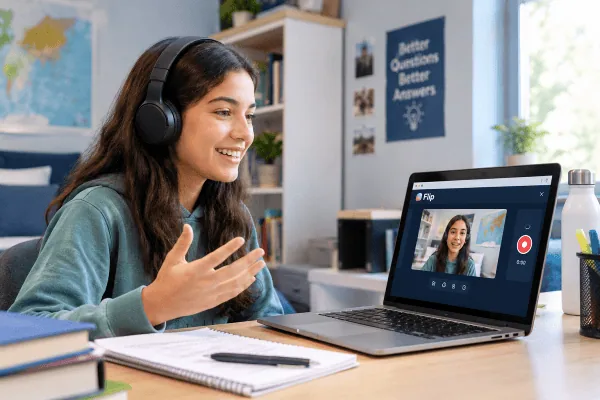
For students, Flipgrid offers a great way to participate without always having to speak immediately in front of the class. They can take their time to prepare their response, record it, and share their ideas through a video.
One student can record a book review, while another will demonstrate a maths solution or explain the results of a science experiment. Language learners can practice speaking, and students working on creative projects can also use videos to tell their stories or present their work.
The ability to record a response is very helpful for activities that benefit from seeing or hearing the students explain ideas in their own way. Facial expressions, spoken explanations, and demonstrations can add a lot of context that a written answer might not convey.
Students could also watch classmates’ responses and discover different ways to approach the same question. When the reply feature is enabled, they can ask follow-up questions, agree or disagree with an explanation, and build on another student’s ideas. This also helps students build confidence if they feel uncomfortable appearing on camera or feel shy in front of their classmates.
Flipgrid vs Microsoft Teams for Education
Microsoft Teams for Education provides tools for communication, assignments, and classroom collaboration. It is similar to Flipgrid because Microsoft incorporated its video learning approach into its wider education ecosystem after retiring the standalone Flip, formerly known as Flipgrid.
The exact process for creating or submitting a video activity depends on the current Teams features, account permissions, and the tools enabled by a school or organization. Educators should not assume that older Flipgrid instructions will still apply or that every original recording feature is available in the same form.
If you want to implement video-based learning in your class, start by checking the tools available in your institution’s Microsoft Teams. Look for the current options for assignments, student submissions, video recordings, and feedback, and then test the workflow before giving any instructions to a class.
For example, a teacher might assign students a short presentation and ask them to submit a recording through the supported assignment workflow. Students would follow the instructions provided by their teacher and use the upload options available to their accounts.
But what if they find different options for uploading videos or submitting assignments? For them, they can check this step-by-step guide on adding a Flip video recording to an assignment in Teams, and if you’re using a mobile device, then follow this guide.
The key is to choose a workflow that students can access, and teachers can review reliably. So before you start using it, it’s better to review all the available features, and if they are not suitable, consider what other options you can try.
Flipgrid Alternatives
If you’re looking for an alternative to the flipgrid platform, then it’s better to consider these points before choosing one. Points include whether students can easily access it, whether it supports the type of responses required, and how you’re going to manage submissions and feedback as a teacher.
As an organization, schools should also look at the privacy policies, account requirements, and if they fit the existing school software for better integration. Here we have listed 4 alternatives that you can use for classroom discussions, recording videos, collaborative assignments, and more.
*
Microsoft Teams for Education
Teams is worth considering for schools that already use Microsoft’s education tools. Although it brings classroom communication, assignment workflows, and video recording features together but you should definitely check before adding it to your system.
Seesaw

Seesaw is commonly used for student activities and digital portfolios, particularly in elementary schools. Its classroom-focused approach can help students share their work with teachers and parents seamlessly. But before you start using it, you must check if it aligns with your current setup.
Padlet

Padlet provides collaborative boards where participants can share and organize content. It’s ideal for collecting classroom responses, brainstorming ideas, and group activities, though its workflow differs from Flipgrid’s original video-first discussion format.
Google Classroom
Google Classroom is also a great platform for teachers who organize assignments, distribute materials, and manage student work within Google’s ecosystem. Moreover, it may be useful for coordinating activities that include video responses and submissions
Frequently Asked Questions
What is Flipgrid used for?
Flipgrid is used for video-based classroom discussions and learning activities. Teachers can post questions, students can record responses, and classmates can watch and discuss one another’s ideas.
Is Flipgrid still available?
No, the standalone version of Flipgrid is not available. On September 30, 2024, Microsoft retired it as a separate application and added it to its education ecosystem, which later became Teams for Education.
Is Flipgrid the same as Flip?
Yes, Flipgrid and Flip are the same platform. Originally, the platform was known as Flipgrid but after Microsoft acquired it, they rebranded it as Flip by Microsoft in 2021.
Is Flipgrid free for teachers and students?
Yes, the official Flipgrid platform is a free educational tool for teachers and students. But now it is available as a Microsoft educational product, and its features, pricing, and settings might differ.
How can students join a Flipgrid discussion?
Now you can’t join a Flipgrid discussion since it’s not available, but you can access its features via Teams. Earlier, students usually accessed a teacher’s Grid or Topic using the Flip code or invite link which was provided by the educator.
Can teachers still use the original Flipgrid features?
Yes, teachers can still use similar Flipgrid features but they need to access them through Microsoft Teams. However, the current version may have different workflows and features, but yes you can use their main short video response feature.